 HabitGenix
Everything for a calmer, more organised day
HabitGenix AI is an offline-first Android app. Every feature on this page marked Free is in the app today, with no time limit and no ads.
Habits with fair streaks
Build routines that fit real life, not the other way round.
- Unlimited habits, each with its own days and time of day
- Three kinds of goal: a simple check-off, a count (8 glasses) or a time (20 minutes)
- Fair streaks: days off, skipped days and vacations never break them
- Vacation mode pauses every habit while you are away
- Fix a past day: forgot to tick yesterday? Mark it from the Plan calendar
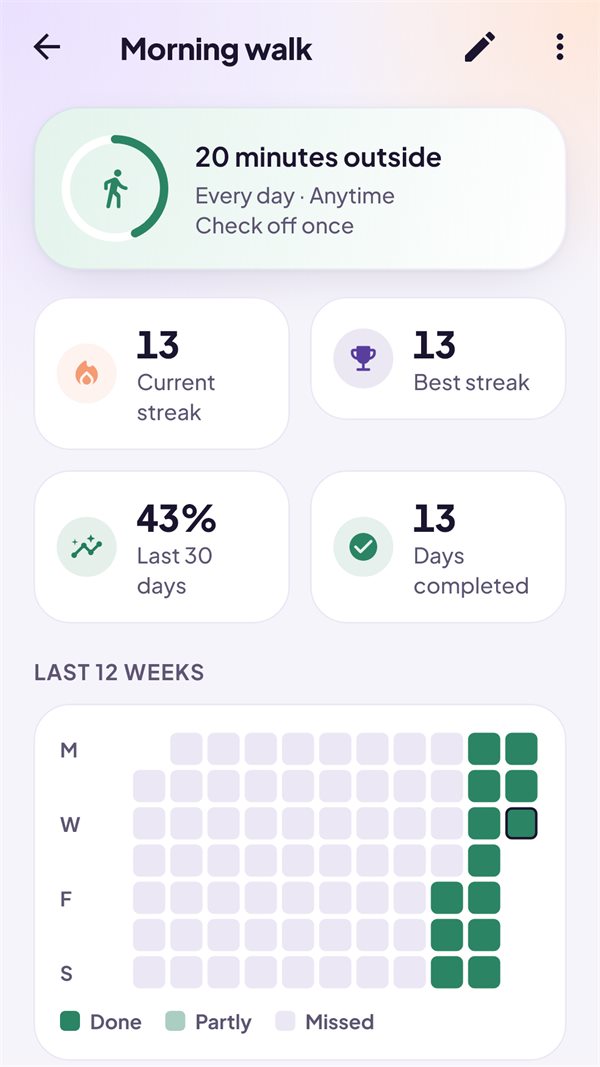
- A 12-week history, current and best streak for every habit
- Starter templates to begin in seconds
Plan your day, week and month
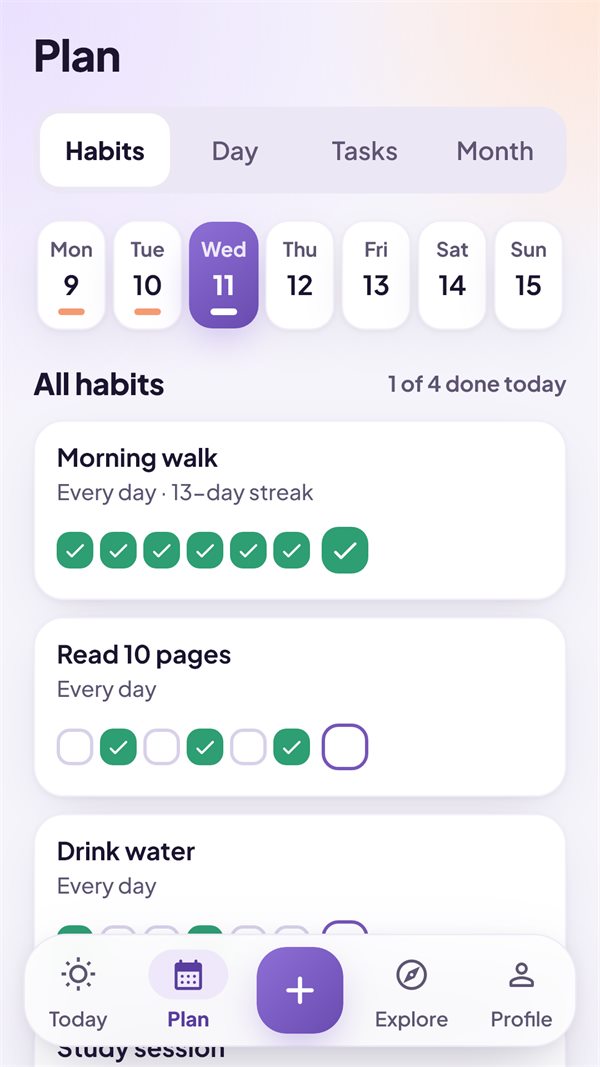
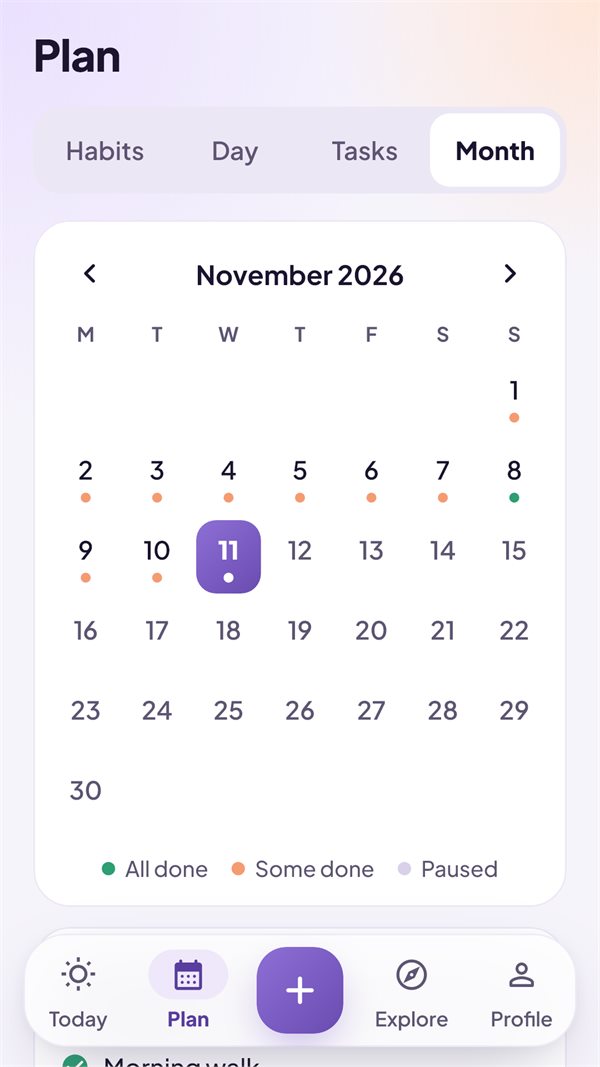
One Plan screen with four views: Habits, Day, Tasks and Month.
- Habits view: every habit with its last 7 days
- Day view: today as a simple timeline of habits and tasks
- Tasks with due dates, repeats, priorities and subtasks
- Month view that shows how each day went
- Day check-in: a morning plan and an evening review
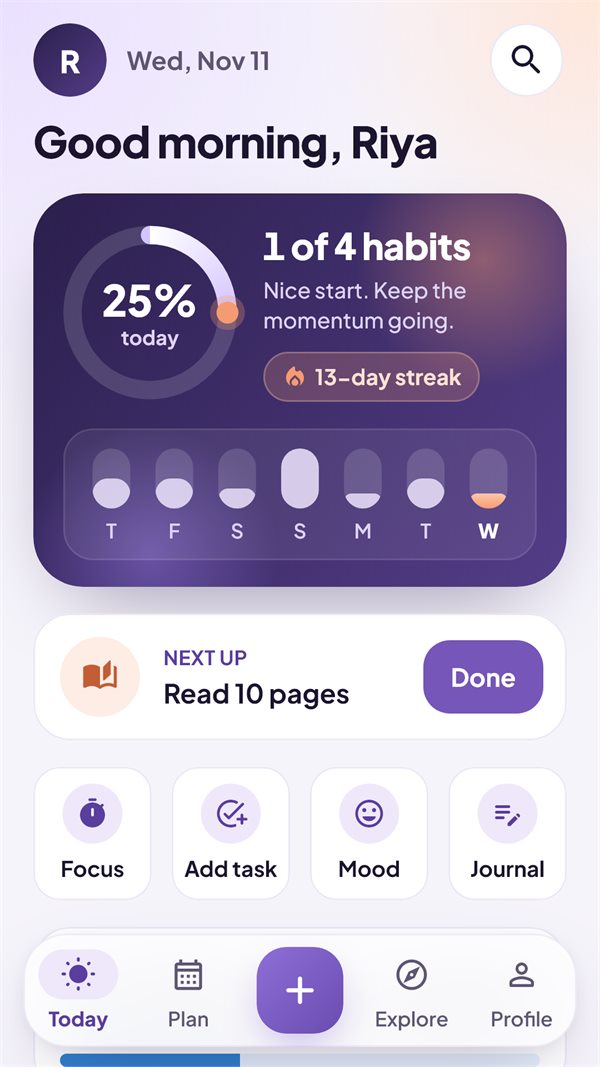
- Search across habits and tasks, and a Today screen you can arrange
Reminders that respect you
Habit, task and timer reminders are scheduled by Android on your phone — nothing is sent to a server to deliver them.
- Your times for every habit and task
- Quiet hours so nothing buzzes when you rest
- A test reminder button to check your phone's settings
Some phones stop apps in the background to save battery. If reminders arrive late, allow HabitGenix AI in your phone's battery settings.
Day check-in
Saved to your journal on your phone.
16 life areas in one app
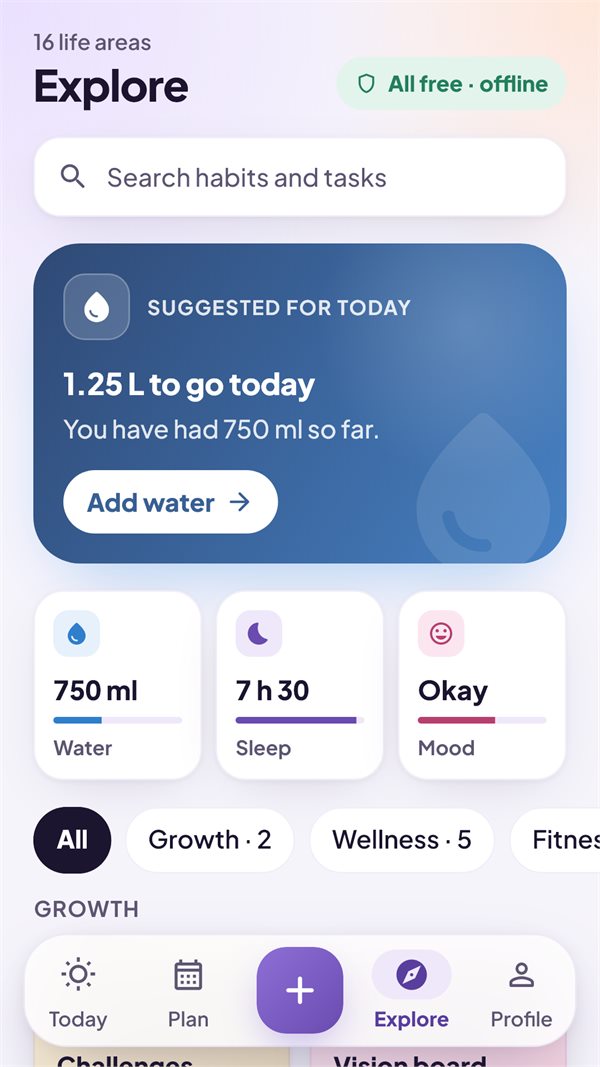
Open the ones you need from Explore. Each works offline and keeps its data on your phone.
Wellness
- WaterQuick-add glasses toward a daily goal
- SleepBedtime, wake time and how rested you feel
- MindfulMeditation timer and box breathing
- MoodCheck in with how you feel
- JournalGratitude and daily reflections
Fitness & food
- WeightLog your weight and see the trend
- WorkoutsSets, reps, rest timer and records
- ActivityWalks, runs and rides toward 150 min a week
- BodyWaist, chest, arms and body fat over time
- NutritionMeals, macros and water together
Productivity
- FocusPomodoro sessions for deep work
- GoalsMilestones linked to your habits
- ReadingBooks, pages and reading streaks
- StudySubjects, weekly goals and exam countdowns
Growth
- ChallengesLevels, XP, achievements and challenges
- Vision boardPicture the life you are building
HabitGenix AI is a self-tracking tool. It does not give medical, diet or fitness advice.
Home screen widgets
Do the small things without opening the app.
- Checklist: tick today's habits right on your home screen
- Today and Quick Add
- Water and Mood with one tap
- Stopwatch and Steps
- Private: widgets show counts; habit names appear only if you turn them on
The Week and Focus widgets are part of the planned Lifetime Plus.
Steps, honestly counted
Turn on step counting once, and HabitGenix AI reads your phone's own step counter.
- Today against your goal — change the goal any time
- Your last 7 days with this week's total and your best day
- Distance and calories clearly marked as estimates
- Nothing invented: a day without a reading stays empty
- Steps never leave your phone
Needs a phone with a step counter and the physical-activity permission.
Example values, not a real person's data.
Your progress, calculated on your phone
- A weekly summary in Insights
- Suggestions for today from the areas you use, such as water still to go
- No cloud, no account: all numbers are worked out on the device
Your data is yours
The current app has no account, no ads, no analytics and no tracking.
Stored on your phone
Everything you enter is kept in the app's private storage. Android cloud backup of the app's data is turned off.
Encrypted backups
Back up to a file you save where you choose, encrypted with AES-256 and your password. We never receive it.
App Lock
Ask for your phone's fingerprint, face or screen lock when the app opens, and hide it in the recent-apps list.
CSV export
Export habits, check-ins and tasks as a spreadsheet whenever you want. CSV files are not encrypted, and the app warns you.
Lifetime Plus
A planned one-time purchase through Google Play for people who want more. It is not on sale yet; these features are locked in the app until it is.
Look and feel
Dark themes including Midnight, Aurora and AMOLED, and extra habit colours.
Deeper insights
Your year as a heatmap, trends, best weekdays and detailed reports over 7, 30 or 90 days.
Routines
A routine player that walks you through your morning or evening habits, and template packs.
Stay on track
Streak Freeze for a hard day, up to three extra reminder times per habit, and a quit tracker with milestones.
Share and widgets
Share a picture of your streak, plus the Week and Focus widgets.
An AI Coach is on the way
A conversational coach in English, हिन्दी or Hinglish is in private testing. It is not in the app yet.